Article · ChatGPT for your website
ChatGPT for your website: AI customer service
How to put ChatGPT and other AI models on your website or online store for customer service: the data they need, API keys, costs and privacy.
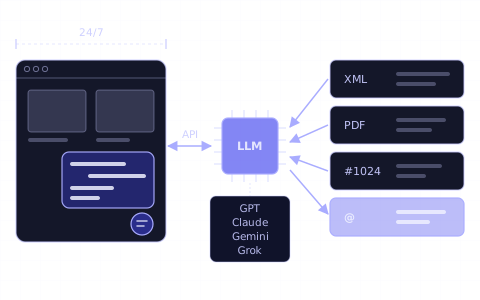
In short
- 01A chatbot on your website does not run the ChatGPT app. It sends customer questions to OpenAI's GPT models through the OpenAI API, which OpenAI bills separately from ChatGPT subscriptions.
- 02A plain ChatGPT chatbot does not know your catalogue, stock, orders or policies. For customer service it needs your product data and knowledge base with every question, a secure order status lookup and a hand-over to a person.
- 03You can build this yourself or use a chatbot platform. Chaterimo imports the catalogue from Shopify, Shoptet, Upgates and Eshop-rychle stores and works with models from OpenAI, Anthropic, Google and xAI.
- 04The cost has two parts: the chatbot platform and the model usage, which OpenAI prices per million tokens. With your own API key (BYOK) you pay the provider directly.
- 05By default, OpenAI does not use data sent to its API to train its models and keeps abuse-monitoring logs for up to 30 days.
Contents 13
- Can you put ChatGPT on your website?
- Why is a plain ChatGPT chatbot not enough for customer service?
- How can ChatGPT improve customer service?
- What does a chatbot for customer service need?
- How do you deploy a ChatGPT chatbot for customer support?
- How do you add ChatGPT to your website with Chaterimo?
- How do you improve the chatbot's answers?
- Should you use ChatGPT or another model?
- Do you need your own OpenAI API key?
- What does ChatGPT for customer service cost?
- Is ChatGPT safe for customer data?
- Summary
- Frequently asked questions
To put ChatGPT on your website for customer service, you connect an OpenAI GPT model to a chat window on your site through the OpenAI API and give it your store's data: products, stock, orders and policies. Without that data, a ChatGPT chatbot does not know your store and guesses. You can build the connection yourself or use a chatbot platform such as Chaterimo, which imports your catalogue, adds the chat window and lets you choose models from OpenAI, Anthropic, Google and xAI.
Can you put ChatGPT on your website?
Yes, but not the ChatGPT app itself. ChatGPT is OpenAI's chat app at chatgpt.com, and it knows nothing about your store. What you put on your website is a chatbot that sends each customer question to a GPT model through the OpenAI API and shows the answer in a chat window on your site.
There are two ways to build it:
| Your own code | A chatbot platform | |
|---|---|---|
| What you build | chat window, search in your data, order status lookup, hand-over, conversation history | nothing: you connect your store and choose the settings |
| Who keeps it running | your developer | the platform |
| Models | the providers you integrate | the providers the platform supports |
| Fits | teams with developers and special requirements | stores that want to start without development |
Either way, the chatbot uses the API, not a ChatGPT subscription. ChatGPT and the API platform have separate billing systems: OpenAI bills API usage separately from a ChatGPT subscription such as ChatGPT Plus, and paid API usage needs its own payment method in the API account.1
Why is a plain ChatGPT chatbot not enough for customer service?
A language model (LLM) answers from what it learned in training and from what it gets together with the question. It has never seen your product catalogue, today's stock, a customer's order or your return policy. Asked “Do you have this jacket in size M?” or “Where is my order?”, a plain ChatGPT chatbot either admits it does not know or invents a plausible answer. Such an invented answer is called a hallucination.
A chatbot for customer service therefore needs four things around the model:
- Knowledge base
- Your products, pages and texts. Before each answer, the chatbot searches them and gives the model the relevant parts together with the question.
- Up-to-date product data
- Prices, variants and availability from your store, refreshed regularly, so the chatbot does not recommend products you no longer sell.
- Order status lookup
- A connection to your store that tells customers the status of their order, and only of their own order.
- Hand-over to a person
- A way to pass the conversation to your team when the AI cannot help or the customer asks for a person.
How such a chatbot works in an online store is explained in AI chatbot for e-commerce. The data matters as much as the model. In round 4 of our blind benchmark of AI models for customer support (30 August 2026), all twelve models scored between 81 and 90 out of 100 on tone, but none scored above 55.4 on accuracy.
How can ChatGPT improve customer service?
With your data connected, a GPT model, or a Claude, Gemini or Grok model, takes routine questions off your team:
- Answers at any hour. Delivery times, payment, returns and contacts, around the clock and within seconds. About 42% of conversations on Chaterimo started between 18:00 and 8:00 Prague time (February–May 2026, State of AI customer support), outside usual business hours.
- Product advice. “Which tent for two people weighs under 3 kg?” The chatbot searches your catalogue and recommends matching products.
- Order status. The customer gives the order number and the e-mail or phone number used on the order, and the chatbot tells them where the order is.
- Complaints. The chatbot replies calmly, explains your complaint and return process from the knowledge base and passes cases that a person must decide to your team, with the conversation.
- Several languages. The chatbot can answer in the language the customer writes in.
ChatGPT also helps your team behind the scenes: it drafts replies to e-mails and reviews, summarises long messages and translates them. For that you need no chatbot on the website; the ChatGPT app is enough.
Leave decisions to people: refunds, exceptions to your policies and questions your data does not cover.
What does a chatbot for customer service need?
Whichever tool you choose, the chatbot needs five things:
- Your data. The product catalogue from your store or a product feed (XML), pages with delivery, payment and return terms, and answers to frequent questions.
- A model. GPT models from OpenAI, or models from Anthropic (Claude), Google (Gemini) and xAI (Grok).
- API access. Your own API key from the model provider (BYOK), or a platform that uses its own keys.
- A tone. Formal or informal, how the chatbot addresses customers and how long its answers are, written down as instructions.
- A hand-over. Who on your team gets the conversations the AI cannot solve, and how quickly they reply.
How do you deploy a ChatGPT chatbot for customer support?
These six steps apply to any tool:
- List the questions. Go through a month of e-mails and chats and write down the 20–30 most frequent questions. Decide which of them the chatbot answers and which it passes to your team; the list is also your test set.
- Choose the channel. Start with your website or online store, where customers ask before they buy. Messaging apps such as Facebook Messenger can follow.
- Connect your data. Import the catalogue, add the pages and texts with your policies and turn on regular updates.
- Set the model and the tone. Choose the model and the language, describe how the chatbot talks and what it must not promise.
- Test before launch. Ask your test questions, including a product you do not sell, someone else's order number and a complaint. Check every fact in the answers.
- Launch and improve. Read conversations every day in the first weeks, then every week, and fix what the chatbot did not know (see the next sections).
How do you add ChatGPT to your website with Chaterimo?
Chaterimo is our AI agent for customer support of online stores. It handles the technical part of the steps above without development: the data, the model, the chat window and the hand-over.
1Sign up for the free trial
Sign up for the 7-day free trial. During the trial Chaterimo uses its own API keys, so you need no OpenAI account and can try every model on the list.
2Connect your store or add your content
Shopify, Shoptet, Upgates and Eshop-rychle stores connect in Integrations; Chaterimo imports the catalogue and keeps it up to date. PrestaShop stores connect for order status lookup and the chat window. Their catalogue, like that of other platforms such as WooCommerce, comes from a product feed (XML). Pages, files and texts with your policies go into the knowledge base on any platform.
3Choose the model and the tone
In Chat Settings & Embed, choose the model in AI model type: GPT, Claude, Gemini or Grok. Chatbot role holds the instructions for tone and hand-over, and Chatbot language set to Automatic answers each customer in their language.
4Test the answers
Ask your test questions in Test Chatbot. On the Compare Models tab, one question goes to several models at once, so you compare them on your own data.
5Put the chat window on your website
The Shopify, Shoptet, Upgates and Eshop-rychle integrations install the chat window for you. On any other website you paste one snippet into the site-wide layout, as the WordPress guide shows.
6Set up the hand-over
In Account Settings, turn on Enable Ticketing System and fill in Notification email (leads + tickets). When a customer asks for a person, or the AI cannot solve the problem and the customer leaves a contact, Chaterimo hands the conversation over to your team as a ticket with the conversation and an e-mail. There is no live chat in which a person takes over the chat window; when your team wants to answer live too, compare the options in AI live chat on your website.
The full setup is in Getting started: your first AI chatbot in 4 steps. Which plans include tickets is on the pricing page.
How do you improve the chatbot's answers?
Most wrong answers have one of three causes: data the chatbot does not have, an unclear or outdated policy, or an instruction that pushes it the wrong way. So fix the cause, not only the one answer:
- Missing data. Add the product parameter, the page or the text the chatbot needed.
- Outdated data. Keep the catalogue import or the product feed on regular updates and change policy texts when your terms change.
- Instructions. Adjust the tone or the rules in the chatbot's instructions and test the same question again.
In Chaterimo, select Analyze why AI answered like this under an answer in Test Chatbot or Chat History. The analysis shows the likely cause, for example data missing from the knowledge base. Our guide on how to fine-tune your AI product advisor goes through the typical fixes.
Should you use ChatGPT or another model?
GPT models are one option among several. In the same benchmark round, models from OpenAI, Anthropic, Google and xAI differed most in accuracy and speed, and fast, affordable models often scored close to the flagship models of their provider. Choose by accuracy on your own questions, response time, cost and tone; our guide on how to choose an LLM for customer support explains how to test them. The live results are on the AI benchmark page.
Model versions change every few months, so test again when a provider releases a new one. In Chaterimo you switch the model in the settings, and the knowledge base stays the same.
Do you need your own OpenAI API key?
Not with every plan. Chaterimo offers two ways to use the models:
| Chaterimo API keys | Your own API key (BYOK) | |
|---|---|---|
| Account at the model provider | not needed | needed at OpenAI, Anthropic, Google or xAI |
| Models | a shorter list of fast, affordable models | every model Chaterimo offers |
| Who pays the provider for model usage | Chaterimo | you, directly |
| Fits | stores that want one bill and no setup | stores that want a specific model or control over AI spending |
With your own key, you create it on the OpenAI Platform and paste it into Account Settings; the OpenAI API key guide shows each step, including spend limits. Guides for Anthropic and Gemini keys work the same way.
What does ChatGPT for customer service cost?
The cost has two parts: the tool that runs the chatbot and the model usage.
- Model usage. OpenAI prices its API per million tokens, with separate prices for input and output for each model.2 A token is a small piece of text, often part of a word. Each answer costs input tokens (the question, the conversation so far, the knowledge-base excerpts and the instructions) and output tokens (the answer). Smaller, faster models cost a fraction of the flagship models.
- The tool. Your own code costs development, hosting and maintenance. A platform costs a subscription; Chaterimo's plans are on the pricing page.
With Chaterimo API keys you get no bill from the model provider. With your own key you pay the plan and the provider's bill for usage; a spend limit at the provider caps that bill.
Is ChatGPT safe for customer data?
It depends on what the chatbot sends to the model and on the provider's rules. Check three things:
- The provider's API rules. By default, OpenAI does not use data sent to its API to train or improve its models unless you opt in. It keeps abuse-monitoring logs for up to 30 days.3 These rules apply to the API; Anthropic, Google and xAI publish their own.
- What the chatbot can reveal. Chaterimo shows order details only when the contact the customer gives matches the e-mail or phone number on the order. Your API keys are stored encrypted.
- Your role under GDPR. For your customers' data, your store is the controller and Chaterimo the processor, under a data processing agreement that is part of the Terms of Service. Chaterimo's primary hosting and storage are in the EEA, as the privacy policy describes. You inform your customers in your own privacy notice.
Do not put personal data, such as customer lists or internal notes, into the knowledge base. The chatbot can quote anything it can search.
Summary
You put ChatGPT on your website through the OpenAI API, not through the ChatGPT app. For customer service, the model needs your catalogue, your policies, a secure order status lookup and a hand-over to your team; without them it guesses. Prepare your goals and test questions, choose a model by accuracy on your own data, and decide between your own API key and a plan with included keys. To try it on your store, start with your first AI chatbot in 4 steps.
-
OpenAI, “Managing billing for ChatGPT and the API platform”, accessed 20 October 2026, https://help.openai.com/en/articles/9039756-managing-billing-for-chatgpt-and-the-api-platform ↑
-
OpenAI, “Pricing”, accessed 20 October 2026, https://developers.openai.com/api/docs/pricing ↑
-
OpenAI, “Data controls in the OpenAI platform”, accessed 20 October 2026, https://developers.openai.com/api/docs/guides/your-data ↑
Frequently asked questions
Can I use ChatGPT as a chatbot on my website?
Yes, through the OpenAI API. A chatbot platform or your own code sends each question to a GPT model together with your store's data and shows the answer in a chat window on your site.
Is ChatGPT Plus enough to run a chatbot on my website?
No. ChatGPT subscriptions cover the ChatGPT app. A chatbot on your website uses the OpenAI API, which OpenAI bills separately, or a platform that uses its own API keys.
Where can I deploy a ChatGPT chatbot?
On your website or online store, and in messaging apps. Chaterimo runs in the chat window on your website and in Facebook Messenger.
Can an AI chatbot answer complaints?
It can answer calmly, explain your complaint process and collect the details. Decisions such as refunds belong to your team, so the chatbot should hand those cases over with the conversation.
How do I contact ChatGPT customer service?
This article is about using ChatGPT in your own customer service. For help with your ChatGPT account or an OpenAI payment, use the OpenAI Help Center at help.openai.com.
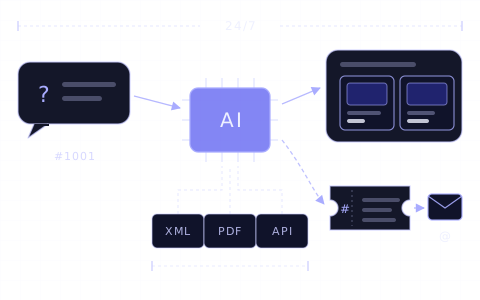
Article · AI customer service
AI chatbot for e-commerce: how AI customer service works
What an AI chatbot for an online store does and cannot do, how it differs from live chat, how to set it up, what it costs and when a person takes over.
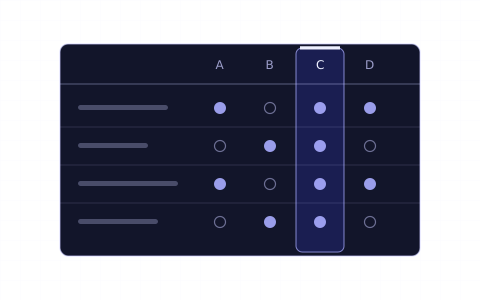
Article · LLM models
How to choose an LLM for customer support
Accuracy on your data, speed, cost and tone. How to compare ChatGPT, Claude, Gemini and Grok for an online store and test them on your own questions.
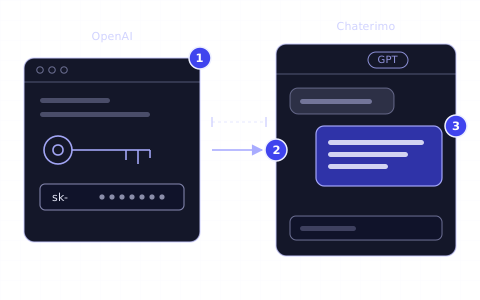
Guide · OpenAI API key
How to get an OpenAI API key for Chaterimo
Create an OpenAI Platform account, add prepaid credits, create a secret API key and connect it to Chaterimo as your own key (BYOK).
Changelog
- Rewritten and moved to the new blog. Merged with “ChatGPT for customer service” and “5 steps to deploy a ChatGPT chatbot for customer support”.
- Published.