Article · AI live chat
AI live chat on your website: how to set it up
What AI live chat is, when live chat with people, an AI chatbot or both fits your store, and how to set it up: data, chat widget, testing and hand-over.
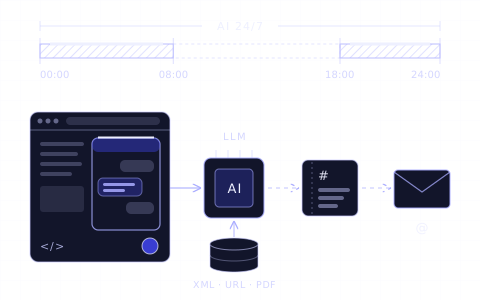
In short
- 01AI live chat is a chat window on your website in which an AI agent answers customers in real time, from your products and policies. In classic live chat, a person from your team answers.
- 02About 42% of conversations on Chaterimo started between 18:00 and 8:00 Prague time (February–May 2026), the hours when a live chat team is usually offline.
- 03Live chat fits complaints, exceptions and questions that need a decision. An AI chatbot fits repeated questions, product advice and the hours when nobody is online. Many stores combine both.
- 04You set up AI live chat in seven steps: decide what the AI answers, give it your data, set its instructions, install the chat widget, test it, set up the hand-over to a person and read the conversations.
- 05Chaterimo is an AI agent without live chat: when a person is needed, it creates a ticket with the conversation and e-mails it to the address the store sets.
Contents 10
- What is AI live chat?
- Live chat, AI chatbot or both: which fits your store?
- How fast do live chat and an AI chatbot answer?
- When do customers write to an online store?
- What does live chat cost compared with an AI chatbot?
- When does an AI chatbot need a person?
- How do you set up AI live chat on your website?
- Where does Chaterimo fit?
- Summary
- Frequently asked questions
AI live chat is a chat window on your website in which an AI agent answers customers in real time, from your products, policies and orders, at any hour. You set it up in seven steps: decide what the AI answers, give it your data, set its instructions, install the chat widget, test it on real questions, set up the hand-over to a person and read the conversations every week. It matters most outside office hours: about 42% of conversations on Chaterimo started between 18:00 and 8:00 Prague time (February–May 2026, Chaterimo platform statistics).
Chaterimo is our product. It is an AI agent, not a live chat with people; we say below where it fits and where a live chat tool is the better choice.
What is AI live chat?
The term is used for different things, so it helps to name them first.
- Live chat
- A person from your team answers the customer in the chat window, in real time. It works only while someone is online.
- AI chatbot (AI agent)
- A language model (LLM) answers in the chat window from your product catalogue, your policies and, when your store is connected, your orders. It answers at any hour and many customers at once. Older chatbots followed a scripted flow with buttons; an AI agent understands questions in the customer's own words.
- AI live chat
- Usually an AI agent in the chat window on your website, with a way to reach a person. Some vendors mean live chat software in which the AI answers first and an operator can take over the same chat window. Others hand the conversation over later, as a ticket or an e-mail.
When you compare tools, ask the vendor which of these it means. The answer decides who on your team has to be online, and when.
Live chat, AI chatbot or both: which fits your store?
| Live chat (people) | AI chatbot | AI first, a person for the rest | |
|---|---|---|---|
| Who answers | operators from your team | a language model, from your data | the AI; a person takes what it cannot solve |
| Hours | while an operator is online | around the clock | the AI around the clock, people in their working hours |
| First reply | 35 s on average while an operator is online1; when nobody is online, a message answered later | a few seconds; 8 of 12 models in our benchmark answered in under 5 s on average | seconds from the AI; the person replies in the chat or later |
| Conversations at once | as many as the operators online can handle | all of them | all of them; people get fewer, harder cases |
| Cost | software per operator or seat, plus the hours of your staff | a monthly plan, a price per AI conversation or resolution, or model usage with your own API key | both, with fewer staff hours |
| Strong at | complaints, exceptions, decisions, sales talks | repeated questions, product advice from a large catalogue, evenings and nights | both |
| Weak at | evenings, nights, peaks, holidays | anything missing from its data, decisions only a person may make | needs a clear rule for the hand-over |
Choose live chat when your team can be online in the hours your customers write and your questions need a person: custom orders, complaints, B2B prices, negotiation. A live chat window with nobody online is worse than none, because the customer waits for an answer that does not come.
Choose an AI chatbot when most questions repeat (delivery, returns, stock, which product fits) or when nobody can watch the chat during the day. It also suits a large catalogue: the AI searches thousands of products for the one that matches the question.
Combine both when you have a team, but not around the clock. The AI answers first and at night, and a person takes over what needs a decision. Decide whether the person takes over in the same chat window (live chat software with an AI agent) or later by e-mail or phone (a ticket). Our comparison of live chat apps for Shopify covers tools of the first kind.
How fast do live chat and an AI chatbot answer?
Text, the company behind LiveChat, reports an average first response time of 35 seconds across its customers, and about 20 seconds more in retail (data last updated in 2024)1. That holds only while an operator is online. When nobody is, the customer leaves a message and gets the reply hours later, or leaves the store.
An AI chatbot starts answering within seconds, at any hour. In our blind test of 12 language models on 45 real e-commerce support questions (round 4, 30 August 2026), 8 models answered in under 5 seconds on average and the slowest needed 49.7 seconds. The details are in the Chaterimo CX-LLM Benchmark. Speed differs by model, so check it before you choose one; the guide to choosing an LLM for customer support explains the trade-off between speed, accuracy and price.
When do customers write to an online store?
Across Chaterimo's paying stores, about 42% of 452,568 conversations started between 18:00 and 8:00 Prague time, on any day of the week (February–May 2026, Chaterimo platform statistics). The methodology is in our report on the state of AI customer support in e-commerce.
A team that works office hours does not see four in ten of these questions until the next morning. If you staff live chat only during the day, the evening and night questions need another answer: an AI agent, or at least an honest offline message that says when you will reply.
What does live chat cost compared with an AI chatbot?
Live chat software is usually priced per operator or seat, sometimes per conversation or ticket. AI agents inside live chat tools mostly cost extra, per AI conversation or per resolution. Our comparison of live chat apps for Shopify lists the prices of twelve apps, checked on 20 October 2026.
The larger cost of live chat is people. Someone has to be online for every hour you show the chat as available, including evenings if you want to cover them. Count the hours you would staff, not only the licences.
An AI chatbot costs a monthly plan and the use of the language model. Some vendors include a number of AI messages in the plan, others charge per AI conversation or resolution. With your own API key (BYOK: you use your own key and pay the model provider directly), you pay the provider for what the chatbot uses. Chaterimo has plans of both kinds; see the pricing page.
To compare, take last month's conversations. What would that volume cost with operators online in the hours your customers write, and what with an AI agent plus a person for the rest?
When does an AI chatbot need a person?
An AI agent answers from the data you give it. It needs a person when:
- the answer is not in its data, for example delivery to a country you do not list;
- the customer wants a decision: a refund outside your policy, a discount, an exception;
- the customer complains and wants to be heard by a person;
- the request needs an action the AI cannot take, such as changing an order.
A fluent answer is not a correct one. In our benchmark, accuracy was the weakest criterion for all 12 models: the best scored 55.4 out of 100 on accuracy, while every model scored between 81 and 90 on tone (round 4, 30 August 2026). So test the answers before customers see them, and keep the way to a person open.
Tell the AI when to hand over, and tell the customer what happens next: who replies, through which channel and by when.
How do you set up AI live chat on your website?
These seven steps apply to any AI chat tool. The clicks in Chaterimo are in our guide to your first AI chatbot in 4 steps.
1Decide what the AI answers
Read your last 50–100 customer e-mails and chats and list the questions that repeat: delivery, returns, stock, sizes, which product fits. These are the AI's job. Then write down what only a person may decide, such as refunds outside your policy or custom orders, and who on your team handles those.
2Give the AI your data
The AI answers only as well as its data. It needs:
- the product catalogue with prices, stock and variants;
- information pages: shipping, payment, returns, warranty, contacts;
- answers to frequent questions that are on no page yet.
Chaterimo imports the catalogue directly from Shopify, Shoptet, Upgates and Eshop-rychle stores and keeps it up to date. Other stores, for example on WooCommerce, add their product feed (XML). Pages of your website are imported from the sitemap or one link at a time, so the chatbot answers from the content of your website; files and texts can be added too.
3Set the model, the language and the instructions
Choose the language model: in Chaterimo, GPT, Claude, Gemini or Grok. What a GPT model needs to serve your customers, and what it costs, is in our article on ChatGPT for your website. Set the language; with Automatic, the chatbot answers each customer in the language they write in. Then write the instructions (in Chaterimo, the Chatbot role): who the chatbot is, how it talks, how long its answers are and when it offers to pass the customer to a person.
4Put the chat widget on your website
The chat widget is the chat bubble and the chat window on your pages. With the Shopify, Shoptet, Upgates or Eshop-rychle integration, Chaterimo installs it for you. On any other website you paste one embed code (snippet) into the site-wide layout, ideally right before the closing </body> tag, and list your domain under Allowed domains. No programming is needed. Step-by-step guides: Shopify, WordPress and Squarespace.
5Test it with real questions
Before customers see the chat, ask it the questions from step 1, in your customers' words. Check each answer against your data: prices, stock, delivery times, return rules. Ask something it cannot know and see whether it says so and offers a person. If your store is connected for orders, ask about an order with a wrong e-mail address: Chaterimo shows an order status only when the customer gives the order number and the e-mail or phone number used on the order. In Chaterimo you test in Test Chatbot, where Compare Models sends the same question to several models at once.
6Set up the hand-over to a person
Decide where conversations that need a person end up, and who answers them. In live chat software, an operator takes over the chat window. In Chaterimo, the AI creates a ticket when the customer leaves a contact, typically because they want a person or the problem stays unresolved. The ticket holds the conversation, a summary and the contact. Chaterimo e-mails it to the address in Notification email (leads + tickets) in Account Settings, and your team replies by e-mail or phone. Ticket Analysis Prompt in the same place changes the conditions for creating a ticket. Tickets are part of the 7-day free trial and of the Evolve plan and higher.
7Read the conversations every week
After launch, read the conversations in Chat History once a week. Where an answer is wrong or missing, add the information to the knowledge base or adjust the instructions. Under an answer, Analyze why AI answered like this shows the likely cause, for example missing data.
Where does Chaterimo fit?
Chaterimo is an AI agent for customer support of online stores. It answers around the clock in the chat window on your store and in Facebook Messenger, recommends products from your catalogue and, with a connected store, tells customers the status of their order once they give the order number and the e-mail or phone number used on it. It works with models from OpenAI, Anthropic, Google and xAI, and you can use your own API key (BYOK).
Chaterimo has no live chat: nobody from your team takes over the chat window. A conversation reaches a person as a ticket with the conversation and an e-mail, and your team answers by e-mail or phone. Chaterimo fits stores where most questions are about products, delivery and orders, and where nobody can watch the chat all day. If your team wants to talk to customers live, a live chat tool fits better; compare the live chat apps for Shopify or read Chaterimo vs Tidio.
Summary
AI live chat puts an AI agent into the chat window on your website, so customers get an answer within seconds at any hour. Live chat with people answers only while someone is online, and about 42% of conversations on Chaterimo start between 18:00 and 8:00 Prague time. Choose live chat for questions that need a person, an AI chatbot for repeated questions and the hours nobody is online, and both when you have a team but not around the clock. Then give the AI your data, install the chat widget, test it on real questions and decide how a conversation reaches a person; the guide to your first AI chatbot shows these steps in Chaterimo. What an AI chatbot can do for an online store beyond the chat window is in the overview of AI chatbots for e-commerce.
Frequently asked questions
What is AI live chat?
A chat window on your website in which an AI agent answers customers in real time, from your products, policies and orders. Some vendors also use the term for live chat software in which the AI answers first and an operator can take over.
What is the difference between live chat and an AI chatbot?
In live chat, a person from your team answers, and only while someone is online. An AI chatbot answers from your data at any hour and many customers at once, and passes to a person what it cannot solve.
Can an AI chatbot replace live chat completely?
It can answer the repeated questions, but not everything. Complaints, exceptions and decisions need a person, so keep a way to one, through live chat or a ticket, and tell the customer when they will hear back.
Can I add AI chat to my website for free?
Some live chat tools have free plans with limits; our comparison of live chat apps for Shopify lists them. Chaterimo starts with a 7-day free trial without a payment card or API key; you can create an account and try it on your own data.
Do I need a developer to add AI chat to my website?
No. The Shopify, Shoptet, Upgates and Eshop-rychle integrations install the chat widget for you. On any other website you paste one snippet into the site-wide layout once.
Does Chaterimo have live chat?
No. Chaterimo is an AI agent that answers customers around the clock. When a person is needed, it creates a ticket with the conversation and e-mails it to your team, who reply by e-mail or phone.
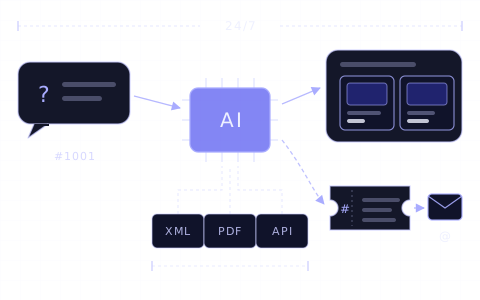
Article · AI customer service
AI chatbot for e-commerce: how AI customer service works
What an AI chatbot for an online store does and cannot do, how it differs from live chat, how to set it up, what it costs and when a person takes over.
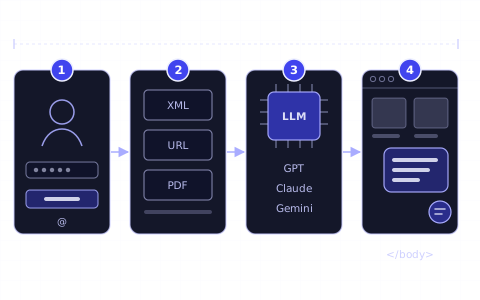
Guide · First AI chatbot
Getting started: your first AI chatbot in 4 steps
Sign up, connect your store or add your content, choose the AI model and put the chat window on your website. The getting-started guide for online stores.
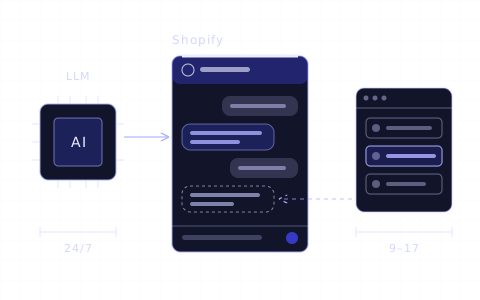
Article · Shopify
Best live chat for Shopify: apps compared
Twelve live chat apps for Shopify compared: free plans, prices per agent or conversation, AI agents and order data, checked in the Shopify App Store.
Changelog
- Rewritten and moved to the new blog; merged with “Live chat vs AI chatbot”.
- Published.